
A fancy text generator (people also search for a text generator or a free font generator, and they mean the same tool) does not change fonts. It swaps each plain letter for a different character that already exists in Unicode, the standard every phone and computer uses to encode text. The bold 𝐀 you copy from this page is a separate character from the plain A, with its own number (U+1D400 instead of U+0041). That is why the style survives when you paste it into an app that has no bold button: you are pasting different letters, not formatting.
That also explains everything that can go wrong. Some styles simply do not have every letter, so a few characters stay plain. A handful of letters live in a different part of Unicode from the rest of their alphabet, and generators that ignore this produce boxes. And whether the text shows up depends on the fonts of the device reading it. This page gives you the generator first, then the parts other generators leave out: which letters each style is missing, what we measured on Apple and Android system fonts, and when real formatting is the better choice.
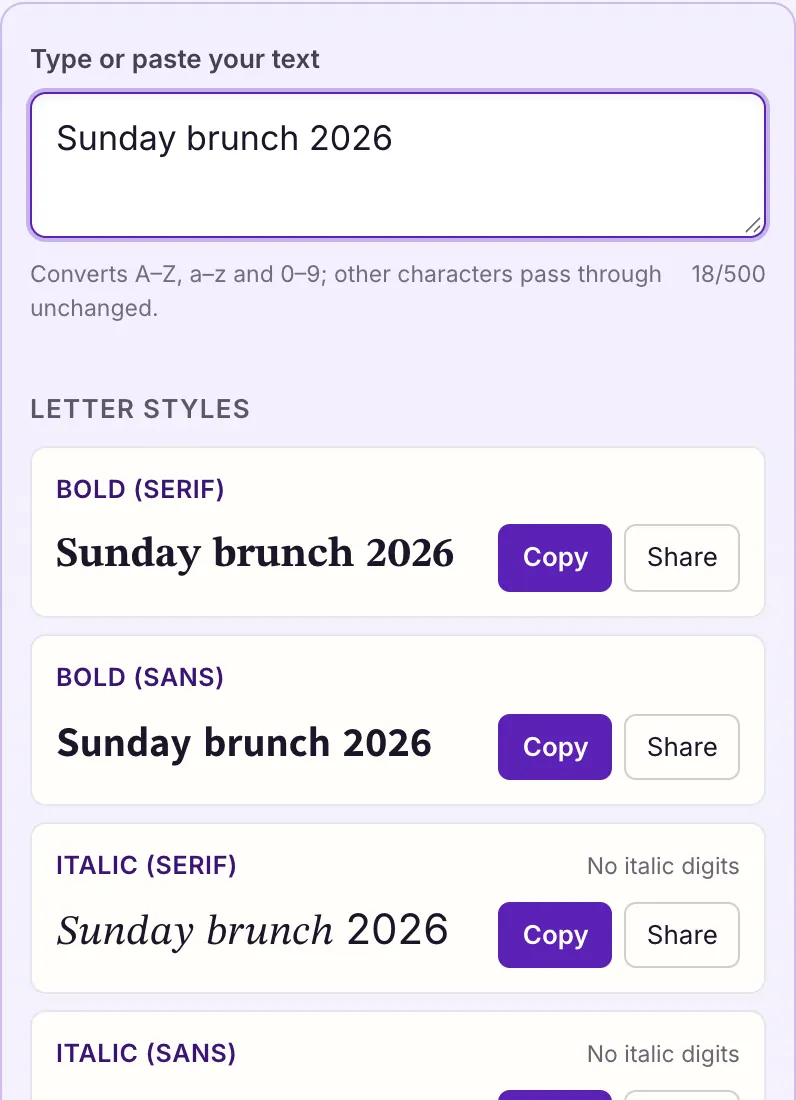
How the generator turns a letter into a style
Unicode was built to encode every character people write, and that includes the letters mathematicians use. In a formula, a bold 𝐱 and an italic 𝑥 can mean different things, so Unicode gave each its own code point. Version 3.1, published on 16 May 2001, added a block called Mathematical Alphanumeric Symbols for exactly this purpose. It holds complete alphabets in bold, italic, bold italic, script, bold script, fraktur, double-struck, sans-serif and monospace, plus bold, double-struck, sans-serif and monospace digits.
Most of the alphabets sit in neat runs: if bold capital A is U+1D400, bold capital B is U+1D401, and so on to Z. A generator only has to add an offset to each plain letter. The other styles come from blocks made for other jobs: circled letters from Enclosed Alphanumerics, small capitals and superscripts from the phonetic alphabets linguists use, fullwidth letters from the forms used beside Chinese, Japanese and Korean text, and strikethrough or underline from combining marks that attach to the character before them.
Because each style is made of real characters, the result is ordinary text. It can be copied, sent, searched for exactly and saved in any text field. It is also why the same text looks slightly different on different phones: the letters are drawn by whatever font the reading device has for that part of Unicode.
| What you see | Character | Code point | Unicode name |
|---|---|---|---|
| A | plain letter | U+0041 | LATIN CAPITAL LETTER A |
| 𝐀 | bold | U+1D400 | MATHEMATICAL BOLD CAPITAL A |
| 𝓐 | bold script | U+1D4D0 | MATHEMATICAL BOLD SCRIPT CAPITAL A |
| Ⓐ | circled | U+24B6 | CIRCLED LATIN CAPITAL LETTER A |
All 27 styles, side by side
Every style in the generator above, with the same sample so you can compare them, and the honest limit of each. A style with no digits leaves numbers plain; a capitals-only style turns your lowercase letters into capitals. The pages linked in the generator go deeper on the most-used ones.
| Style | “Hello 2026” becomes | What it can't do |
|---|---|---|
| Bold (serif) | 𝐇𝐞𝐥𝐥𝐨 𝟐𝟎𝟐𝟔 | Nothing missing |
| Bold (sans) | 𝗛𝗲𝗹𝗹𝗼 𝟮𝟬𝟮𝟲 | Nothing missing |
| Italic (serif) | 𝐻𝑒𝑙𝑙𝑜 2026 | No italic digits |
| Bold italic | 𝑯𝒆𝒍𝒍𝒐 2026 | No digits |
| Cursive (script) | ℋℯ𝓁𝓁ℴ 2026 | No digits; H, e and o come from another block |
| Bold cursive | 𝓗𝓮𝓵𝓵𝓸 2026 | No digits |
| Old English (fraktur) | ℌ𝔢𝔩𝔩𝔬 2026 | No digits; H comes from another block |
| Double-struck | ℍ𝕖𝕝𝕝𝕠 𝟚𝟘𝟚𝟞 | Nothing missing |
| Monospace | 𝙷𝚎𝚕𝚕𝚘 𝟸𝟶𝟸𝟼 | Nothing missing |
| Sans-serif | 𝖧𝖾𝗅𝗅𝗈 𝟤𝟢𝟤𝟨 | Nothing missing |
| Fullwidth | Hello 2026 | Nothing missing; spaces become wide too |
| Small caps | ʜᴇʟʟᴏ 2026 | q stays plain (its small capital isn't drawn on Android); no small-capital X; digits stay plain |
| Superscript | ᴴᵉˡˡᵒ ²⁰²⁶ | q and Q stay plain (superscript q exists but isn't drawn on Apple or Android); C, F, S, X, Y, Z use lowercase forms |
| Subscript | ₕₑₗₗₒ ₂₀₂₆ | Only 17 lowercase letters exist |
| Bubble (circled) | Ⓗⓔⓛⓛⓞ ②⓪②⑥ | Nothing missing |
| Squared | 🄷🄴🄻🄻🄾 2026 | Capitals only, no digits |
| Strikethrough | H̶e̶l̶l̶o̶ 2̶0̶2̶6̶ | Adds one mark per character |
| Upside down | 9ᄅ0ᄅ ollǝH | No turned capital Q; text is reversed |
The 24 letters that live somewhere else
Here is the detail most generators get wrong. When Unicode added the mathematical alphabets in 2001, some of those letters had already been encoded years earlier in a block called Letterlike Symbols, because they were common in science: ℎ for the Planck constant, ℝ for the real numbers, ℌ for Hilbert space. Unicode does not encode the same character twice, so in the new block those 24 positions were left empty and marked as reserved, with a note pointing to the older character.
A generator that only adds an offset will land on those empty positions. An empty position has no glyph in any font, so the letter turns into a box or a question mark on every device. This generator fills the gaps from Letterlike Symbols instead, which is why the cursive “Hello” above mixes ℋ, ℯ and ℴ with the rest. The table shows the cursive set; the italic, Old English and double-struck pages show theirs.
| Letter | Empty slot a naive generator uses | Drawn there? | Correct character |
|---|---|---|---|
| B | U+1D49D (reserved, unassigned) | No — box on macOS and Android | ℬ U+212C |
| E | U+1D4A0 (reserved, unassigned) | No — box on macOS and Android | ℰ U+2130 |
| F | U+1D4A1 (reserved, unassigned) | No — box on macOS and Android | ℱ U+2131 |
| H | U+1D4A3 (reserved, unassigned) | No — box on macOS and Android | ℋ U+210B |
| I | U+1D4A4 (reserved, unassigned) | No — box on macOS and Android | ℐ U+2110 |
| L | U+1D4A7 (reserved, unassigned) | No — box on macOS and Android | ℒ U+2112 |
| M | U+1D4A8 (reserved, unassigned) | No — box on macOS and Android | ℳ U+2133 |
| R | U+1D4AD (reserved, unassigned) | No — box on macOS and Android | ℛ U+211B |
| e | U+1D4BA (reserved, unassigned) | No — box on macOS and Android | ℯ U+212F |
| g | U+1D4BC (reserved, unassigned) | No — box on macOS and Android | ℊ U+210A |
| o | U+1D4C4 (reserved, unassigned) | No — box on macOS and Android | ℴ U+2134 |
Will your friends see it? What we measured
On 27 October 2026 we read the character map of every system font on a Mac running macOS 26.5.1 (365 font files, leaving out the LastResort font that only draws placeholder boxes) and of the fonts Android lists in its platform font configuration: Roboto, the Noto Sans Symbols subsets, Noto Sans Lisu, Noto Sans CJK and Noto Color Emoji. For every style we checked whether each character it produces is drawn by at least one font.
The result: every character of all 27 styles is drawn on both platforms, and none of the 24 empty positions is drawn by any font on either. So on a current iPhone-class Apple system or a current Android phone, a correct generator's output should display; boxes almost always mean a reserved code point, an older system, an app that bundles its own fonts, or Windows, which we could not measure because its fonts were not on the test machine.
| Style | Sample | Converts | macOS 26.5.1 system fonts | Android fonts | What stays plain |
|---|---|---|---|---|---|
| Bold (serif) | 𝐀𝐛𝐜 𝟏𝟐𝟑 | A–Z 26/26 · a–z 26/26 · 0–9 10/10 | 62/62 drawn | 62/62 drawn | Nothing — full set |
| Bold (sans) | 𝗔𝗯𝗰 𝟭𝟮𝟯 | A–Z 26/26 · a–z 26/26 · 0–9 10/10 | 62/62 drawn | 62/62 drawn | Nothing — full set |
| Italic (serif) | 𝐴𝑏𝑐 123 | A–Z 26/26 · a–z 26/26 · 0–9 0/10 | 52/52 drawn | 52/52 drawn | No italic digits |
| Bold italic | 𝑨𝒃𝒄 123 | A–Z 26/26 · a–z 26/26 · 0–9 0/10 | 52/52 drawn | 52/52 drawn | No bold-italic digits |
| Cursive (script) | 𝒜𝒷𝒸 123 | A–Z 26/26 · a–z 26/26 · 0–9 0/10 | 52/52 drawn | 52/52 drawn | No script digits |
| Bold cursive | 𝓐𝓫𝓬 123 | A–Z 26/26 · a–z 26/26 · 0–9 0/10 | 52/52 drawn | 52/52 drawn | No digits |
| Old English (fraktur) | 𝔄𝔟𝔠 123 | A–Z 26/26 · a–z 26/26 · 0–9 0/10 | 52/52 drawn | 52/52 drawn | No fraktur digits |
| Bold Old English | 𝕬𝖇𝖈 123 | A–Z 26/26 · a–z 26/26 · 0–9 0/10 | 52/52 drawn | 52/52 drawn | No digits |
| Double-struck | 𝔸𝕓𝕔 𝟙𝟚𝟛 | A–Z 26/26 · a–z 26/26 · 0–9 10/10 | 62/62 drawn | 62/62 drawn | Nothing — full set |
| Sans-serif | 𝖠𝖻𝖼 𝟣𝟤𝟥 | A–Z 26/26 · a–z 26/26 · 0–9 10/10 | 62/62 drawn | 62/62 drawn | Nothing — full set |
| Monospace (typewriter) | 𝙰𝚋𝚌 𝟷𝟸𝟹 | A–Z 26/26 · a–z 26/26 · 0–9 10/10 | 62/62 drawn | 62/62 drawn | Nothing — full set |
| Fullwidth (vaporwave) | Abc 123 | A–Z 26/26 · a–z 26/26 · 0–9 10/10 | 62/62 drawn | 62/62 drawn | Nothing — full set |
| Small caps | ᴀʙᴄ 123 | A–Z 26/26 · a–z 24/26 · 0–9 0/10 | 24/24 drawn | 24/24 drawn | q stays plain (its small capital isn’t drawn on Android); no small-capital x; digits unchanged |
| Superscript (tiny) | ᴬᵇᶜ ¹²³ | A–Z 25/26 · a–z 25/26 · 0–9 10/10 | 54/54 drawn | 54/54 drawn | q and Q stay plain (superscript q isn’t drawn on Apple or Android); C F S X Y Z use lowercase forms |
| Subscript | ₐbc ₁₂₃ | A–Z 26/26 · a–z 17/26 · 0–9 10/10 | 27/27 drawn | 27/27 drawn | Only 17 lowercase letters; no b c d f g q w y z, no capitals |
| Bubble (circled) | Ⓐⓑⓒ ①②③ | A–Z 26/26 · a–z 26/26 · 0–9 10/10 | 62/62 drawn | 62/62 drawn | Nothing — full set |
| Bubble (filled) | 🅐🅑🅒 ❶❷❸ | A–Z 26/26 · a–z 26/26 · 0–9 10/10 | 36/36 drawn | 36/36 drawn | Capitals only (lowercase is converted to capitals) |
| Squared | 🄰🄱🄲 123 | A–Z 26/26 · a–z 26/26 · 0–9 0/10 | 26/26 drawn | 26/26 drawn | Capitals only; no squared digits |
| Squared (filled) | 🅰🅱🅲 123 | A–Z 26/26 · a–z 26/26 · 0–9 0/10 | 26/26 drawn | 26/26 drawn | Capitals only; no digits; several letters render as emoji |
| Strikethrough | A̶b̶c̶ 1̶2̶3̶ | A–Z 26/26 · a–z 26/26 · 0–9 10/10 | 1/1 drawn | 1/1 drawn | Nothing — full set |
| Underline | A̲b̲c̲ 1̲2̲3̲ | A–Z 26/26 · a–z 26/26 · 0–9 10/10 | 1/1 drawn | 1/1 drawn | Nothing — full set |
| Upside down | ƐᄅƖ ɔq∀ | A–Z 18/26 · a–z 21/26 · 0–9 8/10 | 37/37 drawn | 37/37 drawn | No turned capital Q; reversed so it reads when rotated |
| Glitch (zalgo) | Ȧ̵̗̟̒̌b̜͈̒̃̎c̩̙͐̅͟ 1̸͔̐̉͊̈2̯͔͎̾́̋3̯̩̓ | A–Z 26/26 · a–z 26/26 · 0–9 10/10 | 101/101 drawn | 101/101 drawn | Nothing — full set |
Where pasting works, and where it is blocked
Free-text fields such as bios, captions, posts, comments and most display names accept any Unicode character, so styled text pastes in as long as the app's character limit allows it. Fields that act as identifiers are different. Discord, for example, documents that usernames may only contain the letters a–z, the digits 0–9, underscores and periods, while display names “can be almost anything”. A styled username is rejected there; a styled display name is fine.
Two practical side effects follow from the letters being different characters. First, search: someone searching for “hello” will not find 𝐡𝐞𝐥𝐥𝐨, because the characters do not match. Do not style the words people need to find you by. Second, length: each mathematical letter is one character to Unicode but two code units in UTF-16, the encoding many apps use internally, so some character counters count it twice and a bio fills up faster than you expect. Combining marks such as strikethrough add a character for every letter they decorate.
Screen readers and styled text
Assistive technology reads characters, not appearances. A screen reader meeting 𝐇𝐞𝐥𝐥𝐨 may announce each letter's Unicode name (“mathematical bold capital H…”), spell it out, or skip it, depending on the reader and its settings. Either way, a sighted reader sees one word and a blind reader may hear noise.
The W3C's accessibility guidelines ask that meaning and structure never depend on visual presentation alone, and that real text be used rather than imitations of styling. In practice: use the app's own bold or italic when it has one, keep styled text short (a name or a single decorative word rather than a whole post), and never put essential information such as dates, links or instructions in a fancy style.
Picking a style for the job
Styles are not interchangeable. Some read easily at small sizes and some do not, some have digits and some do not, and some carry meanings of their own.
- Names and bios: bold sans, cursive and small caps stay readable at the small sizes profile screens use. Old English and double-struck look striking but are harder to read in a long line.
- One emphasized word in a post with no formatting: bold or italic, not a whole sentence. Italic has no digits, so “𝑙𝑎𝑠𝑡 2 𝑑𝑎𝑦𝑠” keeps a plain 2.
- Scores, codes and anything with numbers: bold, sans, double-struck or monospace, the only letter styles with complete digit sets.
- Chemistry and maths in plain text: subscript and superscript work for H₂O, CO₂ and x², but most letters have no subscript form, so use real formatting in documents.
- Discord: styled text works in display names, nicknames and messages; for messages, Discord's own markdown (bold, italic, strikethrough, spoilers) is usually the better tool.
- Something unreadable on purpose: glitch and upside-down text are made to look broken, which is the point and also the cost.
Fancy text, real formatting and real fonts compared
Three different things get called “fonts” online. Knowing which one you are using saves a lot of confusion when something stops working.
| Aspect | Unicode fancy text (this site) | App formatting (bold button, markdown) | An installed font |
|---|---|---|---|
| What changes | The characters themselves | A style flag on normal characters | How every character is drawn |
| Survives copy-paste into another app | Yes | Usually lost | No, the reader sees their own font |
| Searchable as normal words | No | Yes | Yes |
| Screen-reader friendly | Often poorly | Yes | Yes |
| Needs anything installed | No | No | Yes, on every reader's device |
| Works where there is no bold button | Yes | No | No |
When copy and paste goes wrong
Most problems have one of a few causes, and the fix follows from the cause.
- You see boxes or question marks: the reading device has no font for that character, or the text contains a reserved code point from another generator. Re-copy from a generator that fills the 24 gaps; if a particular friend still sees boxes, their system is missing that block, and a style from an older part of Unicode such as small caps or circled letters may be the safer choice.
- Some letters stayed plain: either the style has no version of that character, or Unicode has one that phones cannot draw yet. Italic, script and fraktur have no digits; small caps has no X, and its Q exists but Android's system fonts lack it; subscript is missing nine letters. Plain is safer than a box.
- The app turned it back into plain text: some sites normalize text when you save it, converting compatibility characters back to ordinary letters. There is no workaround inside that field.
- Glitch text spilled over other lines: stacked combining marks extend above and below the line. Use a lighter intensity, or remove the marks by pasting into a plain-text editor that strips them.
- Your bio ran out of room early: styled letters can count as two characters in some counters. Style fewer words.
Why mathematicians made this possible
None of these alphabets were added for social media. Mathematicians use typeface as meaning: bold for vectors, double-struck ℝ and ℕ for number sets, fraktur for algebraic structures, script for categories and transforms. Before 2001, that distinction lived only in typesetting software. Unicode 3.1 made the letters themselves portable so a formula could be copied between programs without losing the difference between 𝐯 and 𝑣.
Pasting those letters into a profile is a side use the standard never planned for, which is why some combinations are missing: mathematics never needed an italic digit, so Unicode never encoded one. Knowing that history is the quickest way to predict what a style can and cannot do.
Every style and guide on Fancy Text Styles
Questions people ask
- Is this fancy text generator free?
- Yes. It runs in your browser with nothing to install and no account. The conversion happens on your device, and the analytics on this site are set to mask what you type into the tools.
- Is this a free font generator?
- It is free, and it is what most people mean by a free font generator: you type, it produces styled text you can copy. Strictly, it generates Unicode characters rather than font files, which is why the result works in apps where you cannot install or choose a font.
- Are these fonts I can install?
- No. They are Unicode characters, not font files. That is what lets them work in apps where you cannot choose a font, and it is also why you cannot download them.
- Why do some letters come out as boxes?
- Either the device reading the text has no font for that character, or the text contains one of the 24 reserved code points that some generators produce by mistake. We measured every character this generator outputs as drawable on current macOS and Android system fonts.
- Why are my numbers not styled?
- Italic, bold italic, script, bold script and fraktur have no digits in Unicode. Bold, sans-serif, double-struck and monospace do, and so do circled and superscript numbers.
- Can I use fancy text in my Discord username?
- Not in the username: Discord limits usernames to a–z, 0–9, underscores and periods. You can use it in your display name and in messages.
- Will styled text hurt my searchability?
- It can. Search matches characters, and 𝐡𝐞𝐥𝐥𝐨 is not the same characters as hello. Keep the words people search for in plain text.
- Does fancy text work with screen readers?
- Often badly. Readers may announce each character's long Unicode name or skip it. Use real formatting where the app offers it and keep styled text short.
- Why does my circled M look like an emoji?
- Ⓜ and the filled squared 🅰 🅱 🅾 🅿 are also emoji characters, and both Apple's and Android's emoji fonts include them, so many apps draw them in color.
- Can I share a styled result with a friend?
- Yes. Press Share next to any style. On phones it opens your share sheet; elsewhere it copies a link that opens this page with your text and that style already selected.
- Is fancy text the same as bold formatting?
- No. Bold formatting is a style flag on normal letters and is usually lost when you paste into another app. Fancy text is made of different characters, so it survives the paste but is not searchable as normal words.
Sources & further reading
- Unicode code charts — Mathematical Alphanumeric Symbols (U+1D400–1D7FF)
- Unicode code charts — Letterlike Symbols (U+2100–214F)
- Unicode 3.1.0 (UAX #27), 2001-05-16
- W3C — Understanding WCAG 2.2 Success Criterion 1.3.1 Info and Relationships
- Discord Support — New Usernames & Display Names
- Android platform font configuration (AOSP fonts.xml)

Sukie · Editor
Sukie edits Fancy Text Styles. Every style on the site is checked against the Unicode Consortium code charts before it is published, and every page names the characters a style cannot produce instead of hiding them.
About this site · How pages are checked · Last updated October 27, 2026
Fancy Text Styles is an independent site. Discord, Instagram, TikTok, X and other platform names belong to their owners and are used only to describe where text is pasted; none of them endorse this site.